


Sign In / Sign Up To Add Wishlist
Wishlist is available for members only. Please sign in or sign up to add your wishlist.
What's the Best Printer for Small Business?

Ever feel like your office printer creates more work than it saves? When searching for the best printer for small business, the goal shouldn’t be to choose the biggest, fastest or most expensive model. It should be to build the right overall print setup for the way your team works - whether that means one well-matched device, several printers placed closer to the people who need them or a combination that reduces reliance on a central copier.
For a sole trader, that might be a compact printer for invoices, forms and the occasional client proposal. For a busy office, the right setup may include multiple devices with larger paper trays, faster scanning and the capacity to keep different teams moving when everyone suddenly needs to print at once. And for a professional practice, secure access may matter just as much as print speed. After all, sensitive documents shouldn’t be left waiting for the wrong person to pick them up!
Ultimately, what matters is choosing a small business printer or print solution that helps your team get on with their work. We’ve broken down some suitable Brother printers below where each model could fit within your wider print environment.
| Your business needs | The best small business printer | Why it may fit |
| You need reliable everyday A4 colour inkjet printing in a small workspace | Brother MFC-J5010DW | A compact all-in-one A4 INKvestment Business inkjet printer that brings print, scan, copy and fax together without taking over the desk or counter. It may work as the main device for a smaller business or as a convenient local printer for a team that no longer wants to walk every job over to the central copier. |
| You need more paper capacity and media flexibility for a shared office | Brother MFC-J5110DW | An A4 INKvestment Business inkjet printer with dual paper trays and a multi-purpose tray to help reduce refilling and make it easier to keep different media ready. It can support a busy shared area or complement other devices by taking care of the everyday A4 work that may otherwise hold up a larger copier. |
| You need secure, managed A4 inkjet printing | Brother MFC-J5115DW |
An A4 INKvestment Business inkjet printer that adds stronger authentication, central management and Managed Print Services support for businesses wanting more control. It can be deployed across departments or locations as part of a centrally managed print fleet. |
| You need black-and-white everyday printing in a small office | Brother HL-L2460DW | A straightforward mono laser printer for fast everyday documents without paying for scanning or colour features you don’t need. It may also be placed within a team that produces regular mono documents, leaving colour and specialist work to another device. |
| You need black-and-white printing with scan, copy and fax |
Brother MFC-L2880DW |
A mono laser multi-function printer that supports print, scan, copy and fax for offices handling regular forms, records and admin work. |
| You need occasional A3 documents in a small office |
Brother MFC-J6560DW |
Keeps A3 printing and scanning in-house without needing a large copier-style machine. For some businesses, it may remove the need to maintain an oversized central copier purely for the occasional larger job. |
| You need regular A3 work for a shared team |
Brother MFC-J6960DW |
Adds dual trays and automatic 2-sided (duplex) A3 print and scan for teams that work with larger documents more often. It can serve as a capable shared A3 device while smaller printers handle everyday work closer to individual teams. |
| You need high-volume mono printing for a busy administrative team | Brother MFC-L6915DW | A high-volume mono laser all-in-one with fast printing and scanning, expandable paper capacity and workflow integration. |
| You need colour laser printing and fast scanning for a shared workgroup | Brother MFC-L8970CDW | An MPS-exclusive colour laser all-in-one built for heavier workloads, with Ultra High-Yield toner and expandable paper capacity. |
Need a little more help narrowing it down? Read on! We’ll skip the spec-sheet overload and focus on the practical things that can make a real difference to your working day.
Contents
- Should a small business choose an inkjet or laser printer?
- What should you consider before choosing an office printer?
- Which printer suits your type of small business?
- Which printers suit a busy corporate office or administrative department?
- Can an A4 business inkjet printer handle a busy office?
- Which Brother A4 business inkjet printer should you consider?
Should a small business choose an inkjet or laser printer?
Both can be a good fit. The better question is: what does your team actually print?
A purpose-built business inkjet printer suits an office producing a mix of colour and black-and-white documents. It’s also a practical choice when you want printing, scanning, copying and faxing in one compact device, along with flexible paper handling and high-yield ink options - plenty of capability without asking for half the office floorplan!
On the other hand, a laser printer's typically better for businesses with consistent text-heavy work, predominantly mono output or a need for larger workgroup capacity. It's a strong match for teams that print often, share devices and wouldn't rather queue behind the printer every time a deadline rolls around.
The choice also doesn't always need to be one or the other. A business may use colour inkjet devices in teams producing presentations and customer material, while placing mono laser printers in areas focused on invoices, records or other text-heavy work. The right combination can help each job reach the most suitable device.
What is the most cost-effective printer setup for a larger business?
For a larger enterprise, the most cost-effective option may be a combination of printer types rather than standardising every department on the same device. Business inkjet printers can be a practical choice for teams producing regular colour documents, while mono laser printers may better suit departments handling sustained volumes of text-heavy records, invoices or forms. Colour laser printers can support larger workgroups that need consistent business colour alongside greater paper and scanning capacity.
When comparing costs, look beyond the initial purchase price. Consumable yields, expected monthly print volume, energy use, servicing, downtime and the time staff spend managing supplies can all affect the total cost of ownership. Matching each department with an appropriately sized printer can help avoid paying for unused capacity in some areas while overworking devices in others.
Rather than relying on the old assumption that inkjet’s for home and laser’s for business, you can also take a closer look at how the two technologies compare in Inkjet vs laser: Which printer is right for you? The guide explores the differences in print technology, output quality, media handling and common use cases to help you choose the right printer - or combination of printers - for your office. Prefer watching over reading? We've got you covered! The video below walks through the key differences:
What should you consider before choosing an office printer?
Start with the everyday frustrations you want the printer or your print setup to take off your team’s plate. As mentioned earlier, the best printer for small business isn’t necessarily one device trying to meet every need. The best overall solution quietly gets each job to the right place, so your team can get on with theirs! Consider the features below:
- Monthly print volume: Check the recommended monthly print volume instead of focusing only on maximum speed or duty cycle. For this exercise, we’ll use our A4 INKvestment Business printers for comparison. The Brother MFC-J5010DW and Brother MFC-J5110DW support recommended monthly volumes of 250-2,500 pages, while the Brother MFC-J5115DW supports 250-4,000 pages¹. Choosing devices with some room for busy periods can help you avoid finding a machine has already reached its limit just as business starts picking up.
- Number of users: One person printing a few invoices has very different needs from a team sending jobs to the same device all day. For a shared office, look for wired networking, larger paper trays, remote administration and supply alerts. These features may not sound exciting, but neither is discovering the tray is empty five minutes before a meeting. Also consider where people sit and what they print. Providing smaller teams or departments with an appropriately placed device can reduce queues, unnecessary trips across the office and the familiar mystery of who left the central copier in an unusual paper setting.
- Colour or mono: Colour’s useful for proposals, presentations, charts and customer-facing material. Mono may be enough for invoices, contracts, records and everyday forms. Choose based on what you actually produce each day rather than paying for colour that will rarely be used or regularly outsourcing colour jobs you could easily handle in-house. For businesses with mixed requirements, a combination of colour and mono devices can help direct each job to the most practical and cost-effective option.
- Print-only or multi-function: A print-only device may be enough when paper mostly travels in one direction. If staff regularly digitise forms, copy documents or file scanned records, a multi-function printer can save space and make those tasks easier. An automatic document feeder’s particularly useful when “just scan this” turns out to mean 37 pages. Not every device in the business needs every feature, either. A multi-function model may support a shared admin area, while compact print-only devices take care of straightforward output elsewhere.
- Paper capacity and size: Larger trays mean fewer refills. Multiple paper sources can also make it easier to keep plain paper, letterhead or envelopes ready without swapping them in and out. Businesses working with plans, schedules, spreadsheets or posters may benefit from an A3 inkjet model such as the Brother MFC-J6560DW or Brother MFC-J6960DW. Adding a suitably sized A3 device to the print setup may also help reduce reliance on a traditional central copier, particularly when the rest of the business mainly works with A4 documents. For more help comparing features, formats and business requirements, read our guide to choosing the best A3 printer.
- Security: A printer can handle the same confidential information as the computers around it. Look for secure print release, encrypted communication, Secure Boot, digitally signed firmware and access controls. Businesses with more formal requirements may also need NFC authentication, Active Directory or LDAP integration and centralised reporting. When several devices are used across the workplace, consistent security settings and central visibility become even more important. The goal is a more convenient setup - not confidential documents staging an office-wide treasure hunt.
- Connectivity: Check that each printer works with the devices your team already uses. Ethernet can provide a consistent connection for shared office use, while Wi-Fi, mobile printing and driverless support can make life easier for hybrid teams. Printing should fit into the way your team works, not the other way around! For a multi-device environment, central configuration and monitoring can also help keep the setup consistent rather than leaving each printer to develop its own personality.
- Support: The printer still needs to be easy to live with after the first week. Check the warranty, support options, supplies availability and service arrangements. A bargain’s less impressive when the team can’t get help or find the right replacement supplies. If the business uses several devices, consider whether supplies, servicing and usage can be managed together. A coordinated approach like Brother's Managed Print Services may reduce the amount of time someone spends checking cartridges, booking repairs and trying to remember which machine takes which supply.
Which printer suits your small business?
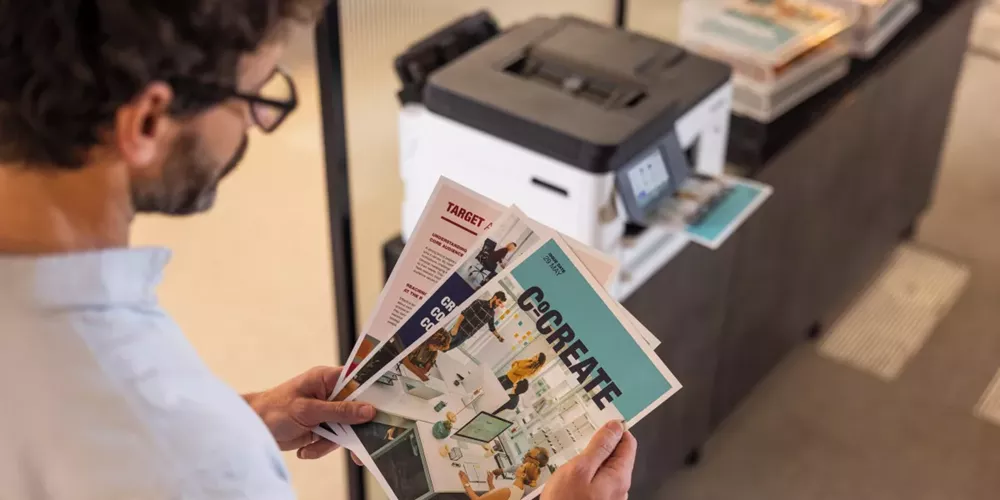
There's no one-size-fits-all office printer or print setup. The right choice depends on your business's size, workflow and the types of documents you print most often.
- Sole traders and home-based businesses: Space and simplicity often matter most. The Brother MFC-J5010DW provides colour print, scan, copy and fax in one compact device, so everyday admin can be handled without several machines competing for desk space. If you mainly print black-and-white documents, the Brother HL-L2460DW is a great alternative, offering fast mono printing and automatic 2-sided (duplex) output.
- Small offices with several users: Look for enough paper capacity to get through the day, reliable networking and automatic 2-sided (duplex) print and scan. The Brother MFC-J5110DW suits teams producing mixed colour and mono documents, while its dual trays and multi-purpose tray help reduce the number of paper-related interruptions. For mono workflows, the Brother MFC-L2880DW combines print, scan, copy and fax. Depending on how the team is spread across the office, these devices could work independently or alongside one another - giving staff easier access to the functions they use most.
- Professional practices handling confidential information: Legal, financial, healthcare and professional-services teams should think about where documents go after they’re printed or scanned. The Brother MFC-J5115DW supports secure release, NFC authentication and directory integration, helping reduce the chance of confidential documents being collected by the wrong person. It may be deployed in one secure area or across several departments as part of a controlled and centrally managed setup.
- Growing or multi-site businesses: As more people and locations are added, consistency becomes increasingly useful. Choosing devices that can be configured and monitored centrally can simplify support, staff training and supplies management. The Brother MFC-J5115DW supports fleet management and Managed Print Services (MPS). An MPS arrangement can take some of the everyday printer admin away from the team. Depending on the agreement, it may include device monitoring, automatic supply delivery, servicing, usage reporting and cartridge recycling. Less time managing printers means more time running your business!
Which printers suit a busy corporate office or administrative department?
In a fast-paced corporate setting, the best printer depends on the type and volume of work handled by each department. A finance or administration team producing large quantities of black-and-white documents may need something different from a marketing team printing colour presentations or a customer service department regularly scanning forms.
Brother models worth considering include:
- The Brother MFC-J5115DW for managed departmental colour printing. This A4 business inkjet combines print, scan, copy and fax with dual 250-sheet trays, a 100-sheet multi-purpose tray and Ultra High Yield replacement ink options. NFC authentication, fleet-management integration and availability through Brother Managed Print Services also make it suitable for deployment across multiple departments.
- The Brother MFC-L6915DW for administrative teams producing high volumes of predominantly black-and-white documents. It offers print speeds of up to 50 pages per minute, scanning speeds of up to 100 images per minute and paper capacity expandable to 2,600 sheets, helping busy teams process substantial document workloads with fewer interruptions.
- The Brother MFC-L8970CDW for shared workgroups needing colour laser output and fast document capture. It supports print speeds of up to 31 pages per minute, automatic 2-sided (duplex) scanning at up to 100 images per minute, an 80-sheet automatic document feeder and paper capacity expandable to 1,340 sheets.
If you’re purchasing several all-in-one printers, consider standardising on one or two models that suit the main workload types across the organisation. This can make staff training, supplies ordering, security configuration and technical support easier to manage. A Managed Print Services arrangement can provide additional visibility across the fleet while helping coordinate supplies, servicing and usage reporting.
Rather than relying on customer ratings alone, compare each printer’s recommended monthly volume, paper capacity, consumable yields, security capabilities, warranty and management options against the requirements of each department. A well-reviewed printer can still be a poor fit if it’s regularly asked to handle more work than it was designed for.
Can an A4 business inkjet printer handle a busy office?
Yes, definitely! An A4 business inkjet printer can support regular office use when it’s designed for the job and matched to the right workload.
Modern business inkjet printers can handle many of the regular departmental workloads traditionally associated with laser printers, provided the device is designed for business use and matched to an appropriate monthly print volume. Features such as durable print technology, high-yield ink, automatic maintenance, larger paper capacity and business-grade connectivity can help them support consistent use in a busy office.
The best inkjet printers from Brother will help by offering:
- A durable printhead for everyday use
- Automatic maintenance to help maintain consistent output
- High-yield ink cartridges that reduce replacement frequency
- Automatic 2-sided (duplex) printing to reduce manual handling and paper use
- Automatic 2-sided (duplex) scanning for faster document processing
- Enough paper capacity to avoid constant refilling
- Wired and wireless connectivity for shared access
- Security suited to business documents
- Management tools that help IT monitor and configure devices
The Brother MFC-J5010DW, Brother MFC-J5110DW and Brother MFC-J5115DW are built with these needs in mind. Each model combines print, scan, copy and fax functionality in one device, with print speeds of up to 28 images per minute² and 2-sided (duplex) scanning speeds of up to 30 images per minute.
They also feature Brother's patented MAXIDRIVE print head and Advanced Maintenance, which work quietly in the background - keeping ink moving and nozzles clear - so print quality holds while you work.
The practical benefits of these features? A smoother workday with fewer printer-related interruptions! Staff can scan both sides of a document automatically, process larger batches and use high-yield ink options, helping teams spend less time managing the printer and more time getting work done. Placed where the work happens, these devices can also take routine jobs away from a central copier, reduce bottlenecks and save staff from making the regular pilgrimage across the office for a two-page document.
Which business inkjet printer should you consider?
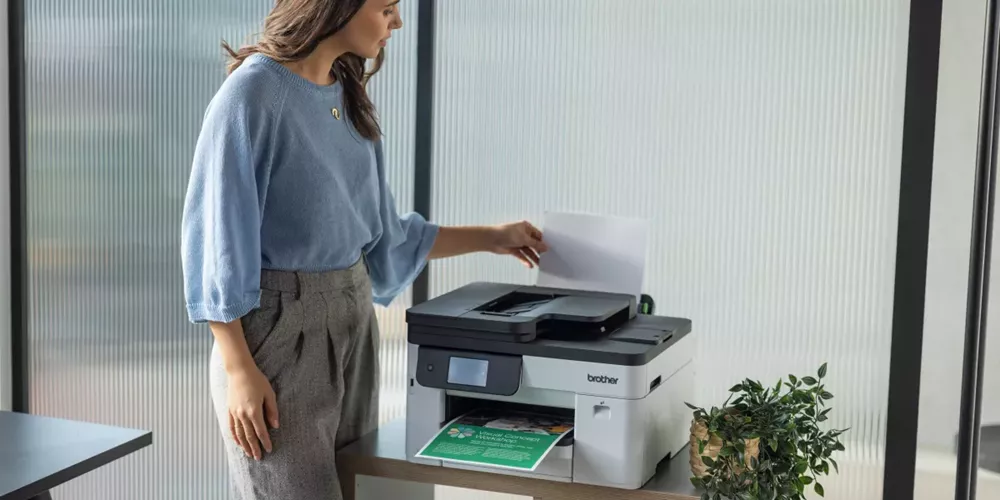
As mentioned, Brother’s A4 INKvestment Business range includes three inkjet models built around different office needs.
- Brother MFC-J5010DW: A practical fit for smaller offices that want everyday colour capability without giving up too much space. It combines print, scan, copy and fax with automatic 2-sided (duplex) printing and scanning, a 250-sheet tray and a 50-sheet ADF. Dual-band Wi-Fi, Gigabit Ethernet and mobile support make it easier for different users and devices to connect. Think of it as the dependable all-rounder - compact, connected and ready for the usual mix of forms, reports and those "I need this printed now!" client documents. It could support a smaller business on its own or give an individual team convenient access to colour printing without relying on the main copier.
- Brother MFC-J5110DW: Better suited to busy shared offices where paper refilling and media changes regularly interrupt the day. Its two 250-sheet trays and 100-sheet multi-purpose tray allow teams to keep different paper types ready. The 50-sheet ADF and automatic 2-sided (duplex) scanning also make multi-page jobs easier to process. With fewer tray swaps and less refilling, your team can spend more time working and less time standing beside the printer. It’s the stronger choice when the team needs more capacity but doesn’t want a printer that dominates the room.
- Brother MFC-J5115DW: Designed for IT-managed, security-conscious or multi-department workplaces. It builds on the paper handling of the MFC-J5110DW and adds NFC authentication, directory integration, Secure Function Lock, secure print release, BRAdmin management and Ultra High Yield ink options. Availability through the Brother MPS reseller network can also help reduce the time spent monitoring supplies and organising support. These capabilities make it particularly suited to businesses deploying and managing multiple devices across teams or sites.
Put simply: choose the MFC-J5010DW when compact everyday capability matters most, the MFC-J5110DW when a shared team needs more paper flexibility and the MFC-J5115DW when security, centralised management and ongoing service are higher priorities. Or combine models to build a setup around the different ways your teams print! The aim isn’t to find one machine and ask it to be everything to everyone - it’s to place the right capability where it can make the biggest difference.
With the right mix of devices, a business may be able to reduce queues, simplify everyday tasks and rely less on traditional central copiers. That means fewer print-related detours and more time spent on the work that actually matters.
Got any questions? Feel free to contact us, our team is always happy to help you. Our team can also help you look beyond an individual model and consider the broader print setup that may best support your business.
Disclaimers:
1. Recommended monthly print volume is provided as a guide for optimal device performance. Actual requirements may vary depending on usage and operating conditions.
2. Print speeds are measured in accordance with ISO/IEC 24734. Actual speeds may vary depending on document complexity, print settings, connectivity and operating conditions.
Comments

Choosing a secure printer
Choosing a secure office printer? Compare security features, access controls and Managed Print Services options for small, medium and large businesses.

Best Office Printers
Compare the best office printers from Brother for small teams, busy workgroups and corporate fleets, and learn when Managed Print Services may be a better fit than relying on one device.

How to Choose the Best Colour Laser Printer
Find the best colour laser printer for your business. Compare compact printers, multi-function models, toner costs and Brother recommendations.

Resource Library
Explore our range of eBooks, Whitepapers & Case studies
Be the first to receive ongoing exclusive offers and the latest news on our products and services directly in your inbox!