


Sign In / Sign Up To Add Wishlist
Wishlist is available for members only. Please sign in or sign up to add your wishlist.
Best Office Printers: How to Choose for Your Team

Choosing an office printer sounds simple enough - until you're sharing a device that wasn't designed for the workload, invoices are waiting in the queue, confidential documents are left in the output tray and supplies run out at the worst possible moment!
For a small office with modest, evenly spread demand, a compact multi-function printer may be all that is needed. But headcount alone does not determine the best fit. A team of 10-15 people that prints occasionally may work comfortably with one device, while a similarly sized team with frequent print peaks, heavy scanning or business-critical workflows may need a higher-capacity model, an additional device or a managed setup.
That's where Managed Print Services (MPS) can play a more strategic role: rather than focusing on a single printer, MPS brings device management, supplies, maintenance, support and usage reporting together as an ongoing service.
This guide explains when one printer may be enough, when a higher-capacity device makes sense and when a managed fleet may be the more deliberate choice.
- Best office printer for a small workplace or team
- Best office printer for large workgroups and teams
- Best office printer for low total cost of ownership
- Best office printer fleet for departments and when to consider managed print services
- Best secure office printer
- Best office printer for scanning-heavy admin teams
At a glance: Which Brother office printer solution fits your workplace?
| Office need | Best-fit Brother solution | Suggested Brother models | Why it fits |
| Small team shared printer | Compact mono, colour laser or business inkjet multi-function printer | Brother MFC-L2880DW, MFC-J5010DW or HL-L8430CDW | Reliable everyday printing, copying and scanning for smaller shared offices |
| Team of 10-15 people | Higher-capacity INKvestment Business inkjet or Professional Colour Laser multi-function printer | Brother MFC-J5110DW or MFC-L8730CDW or MFC-L8930CDW | A practical balance of print speed, scanning, colour output and running cost |
| Team of 50-100 staff | Higher-capacity multi-function laser or MPS assessment followed by a higher-capacity device or coordinated fleet | Brother MFC-L8930CDW, MFC-L8970CDW, MFC-L9670CDN or MFC-J5115DW | Stronger fit for shared use, higher print volumes, scanning-heavy workflows and support needs |
| Low running costs | INKvestment Business inkjet or high-yield laser | Brother MFC-J5115DW, MFC-J6975DW, MFC-J6960DW, HL-L6415DW or MFC-L8970CDW | Longer-lasting supplies, fewer interventions and more predictable consumable planning |
| Secure office printing | Business laser and MPS-exclusive models | Brother MFC-L8970CDW, MFC-L9670CDN or MFC-L6915DW | Supports access control, user authentication, secure release and print visibility when paired with print management |
Best starting point: match your printer to your team size, monthly print volume, colour needs, scanning workload and security requirements before comparing models.
Best office printer for a small workplace or team
For a small office or team of around 10-15 people, the best printer is usually a multi-function device that can print, copy and scan without creating unnecessary complexity. You want an office all-rounder - not a device that needs its own desk, diary and dedicated IT support person!
You will want something that can sit comfortably in a shared area, connect easily to the network and handle everyday admin tasks such as invoices, contracts, reports, forms and occasional colour documents.
If you’re still weighing up the technology, our inkjet vs laser printer guide explains how the two options compare across print volume, output and common workplace needs.
Brother models to consider
If your team mostly prints black-and-white documents, a compact mono laser multi-function printer such as the Brother MFC-L2880DW is a practical fit. This model's well suited to everyday office documents, forms, invoices and internal paperwork.
If your team also needs colour output, the Brother MFC-J5010DW or MFC-J5110DW from the INKvestment Business range may suit offices that need business inkjet flexibility and lower intervention.
For teams that prefer colour laser printing, the Brother MFC-L8730CDW is a strong option to consider for shared colour printing, copying and scanning.
Recommended fit by small office need
| If your small team needs... |
Consider... | Why |
| Everyday mono documents | Brother MFC-L2880DW or MFC-L2800DW | Practical multi-function support for text-heavy office work |
| Colour documents and admin printing | Brother MFC-J5010DW or MFC-J5110DW | Business inkjet flexibility for smaller shared-office workflows |
| Shared colour laser printing for busier teams | Brother MFC-L8730CDW | Colour laser multi-function support for growing teams |
| More scan and workflow capability | Brother MFC-L8930CDW or an MPS assessment | More scan and workflow capability, or a review of whether one device is still the right setup |
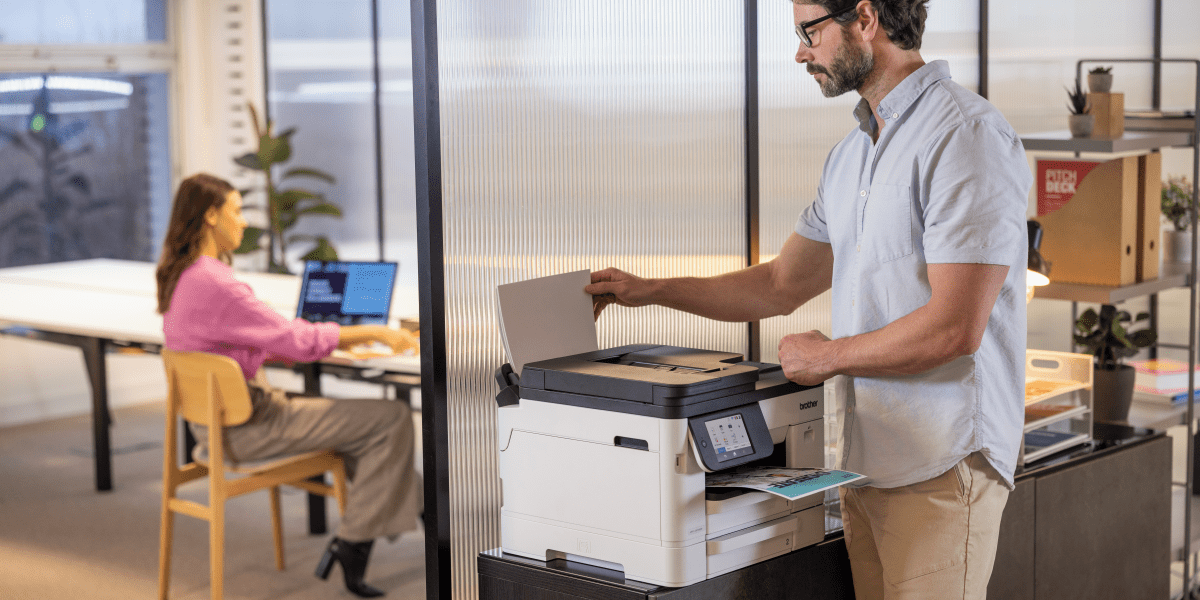
Best office printer for large workgroups and teams
Larger workgroups need a different level of support, but the answer isn't automatically one large printer. Start by looking at print peaks, scanning demand, device location, acceptable downtime and how many teams depend on the same equipment. A higher-capacity multi-function device may suit one central workgroup; several departments or locations may be better served by a coordinated fleet.
For teams of 50-100 staff, an MPS assessment can help decide whether one device has enough capacity and resilience or whether multiple devices should be placed strategically. The aim is to avoid bottlenecks, reduce disruption and give each workgroup appropriate access - not to choose a fleet simply because the staff count has reached a certain number. Nothing brings a team together quite like a queue at the printer, but that's one bonding exercise everyone could do without!
Brother models to consider
Brother’s Professional Colour Laser range is designed for busy workgroups that need dependable colour and mono printing, stronger scanning capability and practical shared-device features.
For workgroups that need shared colour printing and scanning, the Brother MFC-L8730CDW can be a good entry point into the Professional Colour Laser range. For busier teams with heavier document workflows, the Brother MFC-L8930CDW is better suited to offices where scanning, paper capacity and shared usability are more important.
For managed environments, the Brother MFC-L8970CDW brings the Professional Colour Laser range into an MPS-exclusive context, making it a strong fit for organisations that want colour laser performance with managed service, reporting and support.
For teams with high-volume mono requirements, the Brother MFC-L6915DW and HL-L6415DW are also worth considering as part of a broader office or MPS fleet.
Recommended fit by workgroup need
| If your workgroup needs... |
Consider... | Why |
| Shared colour multi-function printing | Brother MFC-L8730CDW | Practical colour laser support for busy teams |
| Stronger scan workflows | Brother MFC-L8930CDW | Better fit for admin-heavy workgroups |
| Managed colour laser printing | Brother MFC-L8970CDW | MPS-exclusive hardware supported within an ongoing managed arrangement |
| High-volume mono multi-function printing | Brother MFC-L6915DW | Suitable for departments with heavier mono document needs |
| High-volume mono print-only support | Brother HL-L6415DW | Practical fleet option for document-heavy teams |
| Managed colour laser costs | Brother MFC-L8970CDW | MPS-exclusive colour laser option for more structured print environments |
For a closer look at volume, security, toner and workflow considerations, you can also see our guide to choosing the best colour laser printer for your business.
Best office printer for low total cost of ownership
The cheapest printer on day one isn’t always the cheapest printer to run.
For office environments, total cost of ownership usually includes the purchase price, ink or toner, replacement supplies, maintenance, downtime, IT support, service arrangements and the time staff spend dealing with printing issues.
A printer with a slightly higher upfront cost may be better value if it uses longer-lasting supplies, needs fewer interventions and supports the team more reliably. That bargain printer can look a little less charming once it develops expensive taste in replacement supplies!
Where several devices are involved, MPS can add visibility that a model-by-model price comparison may miss. Centralised usage reporting, consumables planning, maintenance and support can help an organisation evaluate the cost of the whole print environment rather than the purchase price of each printer in isolation.
Brother models to consider
Brother INKvestment Business printers are strong options for offices that need colour inkjet printing with a focus on longer-lasting ink and reduced supply intervention.
For A4 office printing, the Brother MFC-J5110DW and MFC-J5115DW are useful models to consider. The Brother MFC-J5115DW is especially relevant for businesses looking at an MPS-exclusive INKvestment Business model.
For offices that need A3 capability as well as everyday business printing, the Brother MFC-J6960DW and MFC-J6975DW can help support larger-format documents, reports and mixed office output.
For laser environments, high-yield and MPS-exclusive models such as the Brother HL-L6415DW, MFC-L6915DW and MFC-L8970CDW can help businesses manage regular office printing with a stronger focus on supply planning, uptime and support.
Recommended fit by cost priority
| If your cost priority is... | Consider... | Why |
| Lower intervention for A4 colour office printing | Brother MFC-J5110DW or MFC-J5115DW | INKvestment Business options for regular colour document output |
| A3 business inkjet flexibility | Brother MFC-J6960DW or MFC-J6975DW | Useful when teams need larger-format documents as well as everyday printing |
| High-volume mono printing | Brother HL-L6415DW or MFC-L6915DW | Practical options for document-heavy departments |
| Managed colour laser costs | Brother MFC-L8970CDW | MPS-exclusive colour laser option for more structured print environments |
Helpful takeaway: If you're comparing office printers, don’t just ask, “How much does the printer cost?” Ask, “How much will this printer cost us to run, support and manage over the next few years?”
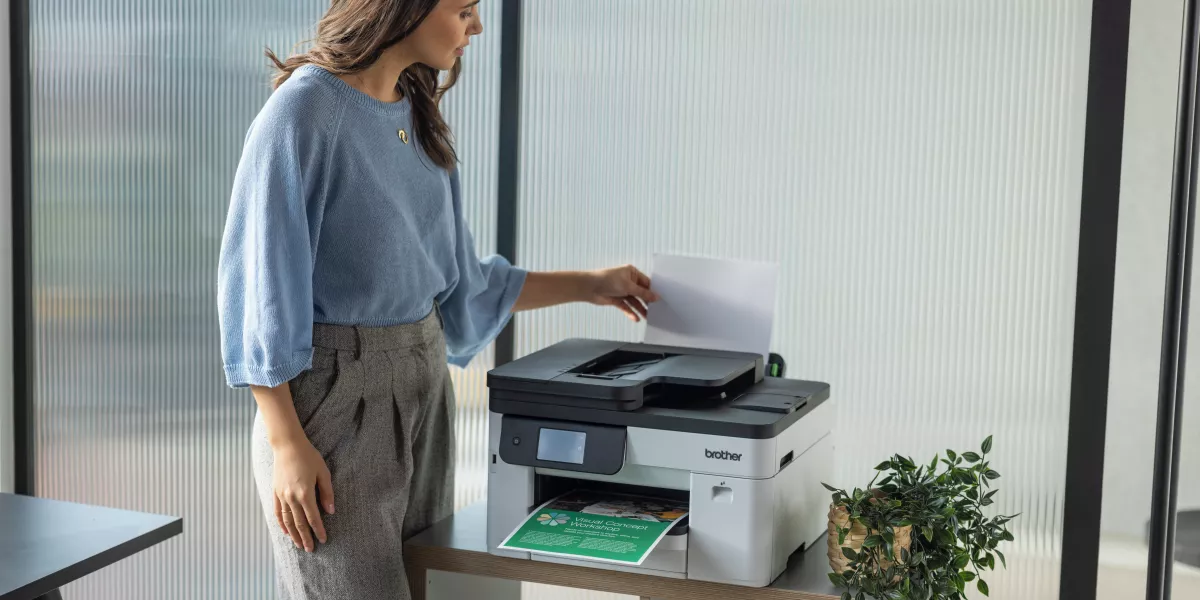
Best office printer fleet for departments and when to consider MPS
Once different departments have different print needs - or recurring queues show that one device is carrying too much demand - start with the wider environment rather than another standalone printer recommendation. This is where Managed Print Services should lead the conversation, because the decision’s now about device mix, placement and ongoing management as much as individual specifications.
A finance team may need reliable mono printing and secure scanning. Marketing may need colour output. Operations may need labels, forms and shared admin printing. Reception may need visitor badges or front-desk documents. Asking one printer to keep every department happy is a little like ordering one lunch for the whole office: someone is bound to be disappointed.
The right outcome may be one higher-capacity device, a small fleet of right-fit devices or a mix of both. MPS makes that transition deliberate by assessing actual usage and service expectations first, rather than assuming that more people automatically require more printers.
How to plan a printer fleet
| Department need |
Possible Brother solution | Suggested Brother models |
| Finance and Admin | Mono laser multi-function printer | Brother MFC-L6915DW or MFC-L2880DW |
| Marketing and Sales | Colour laser or business inkjet printer | Brother MFC-L8730CDW, MFC-L8930CDW, MFC-J5110DW or MFC-J6975DW |
| Operations | High-capacity multi-function printer | Brother MFC-L8390CDW, MFC-L8970CDW or MFC-J6960DW |
Brother solution fit
Brother’s Managed Print Services isn't simply a group of printers sold together but an ongoing service model in which Brother and its solutions partners can assess the print environment, recommend suitable hardware and placement, and support the agreed setup through consumables replenishment, proactive maintenance, service, centralised management and usage reporting.
For corporate offices, this can reduce the guesswork involved in replacing devices one at a time. A print assessment can use actual demand, department workflows and service expectations to determine whether the organisation needs one stronger shared device, several purpose-fit devices or a managed fleet across multiple locations.
That's the clearest difference between buying one printer and moving to MPS: the first is a hardware decision, while the second considers how the complete print environment will be designed, supported and reviewed over time.
Best secure office printer
In a shared office, printer security isn’t just an IT detail but part of how sensitive information moves through the workplace.
Think about what happens when a document is sent to print. It may travel across a network, sit in a print queue, be stored temporarily on a device, print in a shared area and wait for someone to collect it. Each step can create risk if it’s not managed properly. The printer may be good at many things, but politely guarding an unattended payroll document isn’t one of them!
Brother models to consider
For smaller offices that need business-level security features in a shared device, models such as the Brother MFC-L8730CDW and MFC-L8930CDW are strong options to consider.
For larger or managed office environments, the Brother MFC-L8970CDW, MFC-L9670CDN and MFC-L6915DW can sit within a broader print strategy where device security, print visibility, user access and service support all matter.
For organisations with more complex print governance needs, Brother Managed Print Services (MPS) and PaperCut print management can help support secure print release, user authentication, access control and better visibility across print activity. PaperCut can be especially useful for workplaces that need to manage who prints, how documents are released and how print activity’s reported.
Recommended fit by security need
| If your security need is... | Consider... |
Why |
| Shared office colour printing with security features | Brother MFC-L8730CDW or MFC-L8930CDW | Useful for teams that need secure shared printing and scanning |
| MPS-supported secure colour printing | Brother MFC-L8970CDW or MFC-L9670CDN | Better fit for managed environments and larger teams |
| MPS-supported secure mono printing | Brother MFC-L6915DW or HL-L6415DW | Practical for document-heavy departments with security requirements |
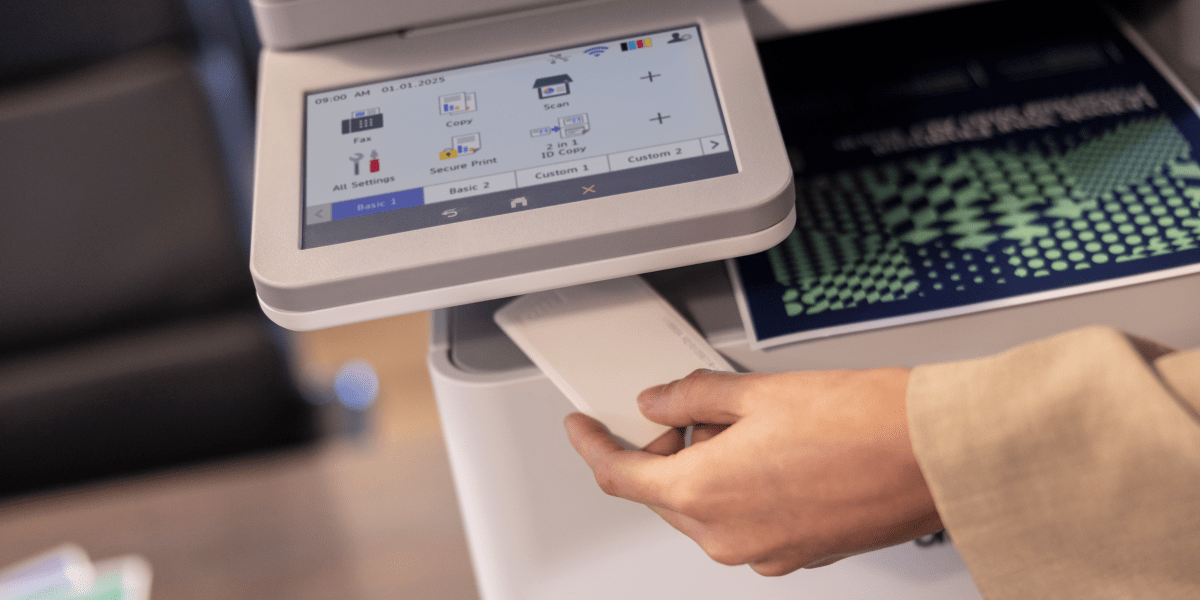
Best office printer for scanning-heavy admin teams
Some offices don’t just print a lot - they scan a lot too!
Finance teams scan invoices. Legal and professional services teams digitise signed documents. HR teams handle forms. Healthcare and education teams manage records. For these workplaces, a systematic scanning workflow can matter just as much as print speed.
If your team spends more time feeding pages into the automatic document feeder than feeding themselves at lunch, scanning deserves a place near the top of the checklist!
Recommended fit by scanning need
| If your team scans... | Consider... | Why |
| Everyday admin documents | Brother MFC-L8730CDW | Practical shared multi-function support |
| High volumes of A4 documents | Brother MFC-L8930CDW | Better fit for scanning-heavy workgroups |
| Larger-format documents | Brother MFC-J6960DW or MFC-J6975DW | Useful when A3 print and scan flexibility is needed |
| High-volume mono documents | Brother MFC-L6915DW | Suitable for departments with heavy mono document workflows |
Choosing the best office printer for your workplace
The best office print solution may be one compact printer, one higher-capacity multi-function device or a managed fleet. The deciding factors are the workload, the workflow and how the environment will be managed - not headcount or footprint alone.
For a small team with modest, evenly spread demand, a compact device may be exactly enough. If users are already queueing, scan jobs block access or several departments rely on one printer, step back before replacing it like for like. An MPS assessment can help determine the right number, type and location of devices, then bring supplies, maintenance, support and reporting into a more consistent ongoing arrangement.
Explore Brother’s range of office printers to compare the right-fit models for your workplace, or speak with the Brother team about a managed print solution for more complex requirements. Because the real goal isn’t to think about your printers more - it’s to give the workplace less to think about!
Comments

Choosing a secure printer
Choosing a secure office printer? Compare security features, access controls and Managed Print Services options for small, medium and large businesses.

What's the Best Printer for Small Business?
Find the best printer for small business. Compare inkjet, laser and A3 printers based on your team, workload and office needs.

How to Choose the Best Colour Laser Printer
Find the best colour laser printer for your business. Compare compact printers, multi-function models, toner costs and Brother recommendations.

Resource Library
Explore our range of eBooks, Whitepapers & Case studies
Be the first to receive ongoing exclusive offers and the latest news on our products and services directly in your inbox!