


Sign In / Sign Up To Add Wishlist
Wishlist is available for members only. Please sign in or sign up to add your wishlist.
Faster Electrical and Datacom Labelling: Save Time on Cables, Panels & Assets

When a project has hundreds or thousands of cables, ports, panels and assets to identify, labelling can quickly become one of the jobs that slows everything down.
It’s not usually one big delay. It’s the small repeats: typing the same information, checking label lengths, reprinting mistakes, trimming labels by hand, peeling backing tape and walking back to a workstation to fix a sequence. On a busy electrical, comms room, warehouse or factory site, those minutes add up!
This guide looks at the practical steps, tools, electrical label makers and label printers and workflow improvements that can help teams label faster, work more accurately and keep large-scale projects moving.
You can also browse the key topics below to quickly find what you need:
- Why speed matters for repetitive labelling jobs
- Start with the workflow, not just the label printer
- Best practices for patch panel and rack labelling
- How to set up an efficient high-volume labelling station
- Bringing automated labelling into a busy trade operation
- What to prioritise in a high-speed electrical label printer
- Choosing label media for harsh environments
- How to assess ROI before upgrading
Why speed matters for repetitive labelling jobs
A faster labelling workflow helps technicians:
-
Spend less time typing repeated information
-
Reduce reprints caused by formatting mistakes
-
Apply labels more quickly in sequence
-
Keep cable, rack and panel identification consistent
-
Complete documentation and handover with fewer gaps
It also helps avoid that very specific site frustration: knowing exactly what needs to be labelled, but losing time to the admin around it. This is why features such as continuous-strip batch printing, easy-peel labels and a built-in automatic cutter with half-cut precision matter. They help turn repetitive work into a smoother print-and-apply process, instead of a stop-start task.
Brother’s PT-E920BT P-touch CUBE Pro Label Maker is designed to batch print multiple labels in one continuous strip, with easy peel-and-apply output and a built-in automatic cutter with half and full cut functionality. Watch the video below to see the PT-E920BT in action!
Start with the workflow, not the printer
Once those repeated delays are clear for you to manage, the next step is to look beyond print speed alone. The biggest gains usually come from improving the full labelling workflow. The best way to speed up cable and component labelling is to look at the whole process:
-
How label data is prepared
-
How labels are designed
-
How they’re printed
-
How they’re cut and peeled
-
How they’re applied in the field
-
How the finished job is checked
A high-speed electrical labelling system should reduce friction at each step. That means using templates for repeat jobs, importing data where possible, batch printing similar labels together and choosing label media that matches the environment. Simple in theory, much easier in practice when the right setup is doing the heavy lifting!
That whole-process approach is especially useful in network deployments, where consistency matters as much as speed. Patch panels and racks are a good example - no one wants to play “guess the port” after handover.
Best practices for patch panel and rack labelling
Patch panel and rack labelling works best when the team agrees on the format before work starts. A few minutes spent aligning upfront can save a lot of head-scratching later.
A practical setup should include:
-
A standard naming convention for racks, panels, ports and cable IDs
-
Templates for common patch panel and faceplate layouts
-
Sequential numbering rules
-
A clear method for matching printed labels to installation order
-
A final check against drawings or certification records
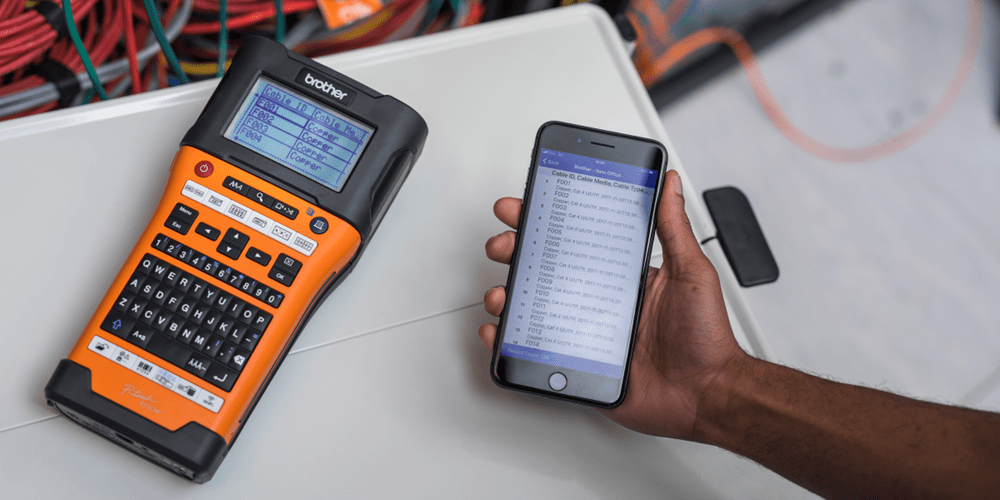
This is where software can make a real difference. The Brother Pro Label Tool app lets users design, preview and print labels, access templates, import existing data and customise labels to suit the job.
For large network deployments, importing data can help reduce manual typing. For example, a project manager can prepare label identifiers in a spreadsheet or CSV, then technicians can use the same job data for label creation in the field. With the Brother Pro Label Tool app, you can use database identifiers or serialise a new job from scratch to save time and improve accuracy. That means fewer typos, fewer reprints and fewer “wait, which one was this again?” moments.
How to set up an efficient high-volume labelling station
Once the naming convention, templates and job data are agreed, the next challenge is keeping the physical setup just as organised. For a warehouse, factory, commsroom or project staging area, keep the station simple and repeatable.
Set up:
- A laptop or mobile device with approved label templates
- The label printer and charger within easy reach
- The correct tapes for each application
- A clean surface for sorting printed batches
- Job sheets, drawings or cable schedules
- A naming convention guide
- Bins or folders for labels grouped by area, rack, panel or asset type
- A quick check process before labels go to site
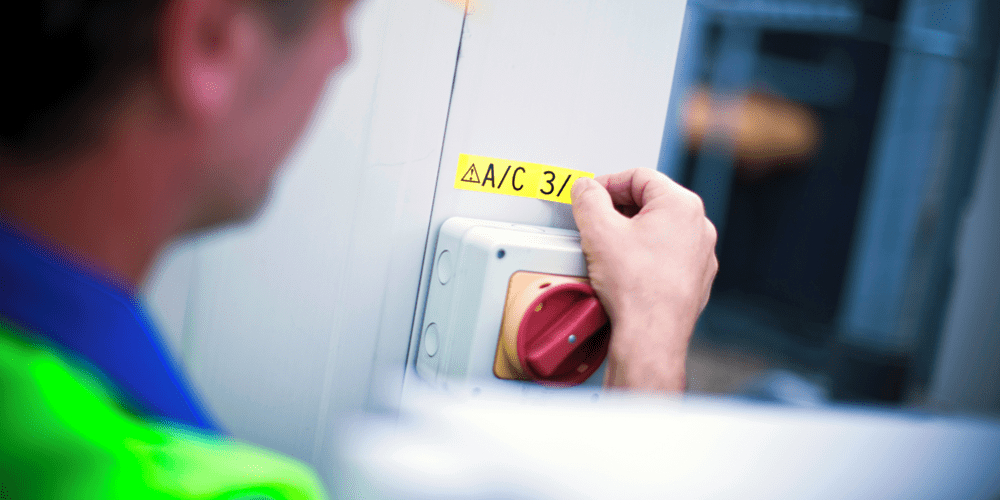
For field work, prepare as much as possible before the technician reaches the installation point. Print labels by sequence, keep batches together and use half-cuts so labels are easy to peel without losing order. When everything is printed in the right order, the job feels less like sorting confetti and more like following a plan.
A well-organised station makes the work faster on site. To take the next step, teams can remove even more manual handling by automating the parts of the process they repeat most.
Bringing automated labelling into a busy trade operation
Automated labelling doesn’t need to be complicated. Start with the jobs your team repeats most often: patch panels, cable wraps, circuit IDs, faceplates, distribution boards, warehouse assets or maintenance tags.
Then build a workflow:
-
Create approved templates
-
Prepare label data in a spreadsheet or database
-
Import or serialise label information
-
Preview before printing
-
Batch print in application order
-
Apply labels using easy-peel, half-cut strips
-
Check the finished work against project records
This gives technicians a more predictable process. It also helps project managers keep formatting consistent across crews, sites and stages of work.
To support that kind of workflow, the printer needs to do more than produce labels quickly. It should help technicians prepare, print, cut, peel and apply labels with fewer interruptions. Fast printing is useful but fast printing without the fiddly bits is even better!
What to prioritise in a high-speed electrical label printer
For extensive electrical panel labelling, data centre work or warehouse asset identification, look for features that support both speed and accuracy.
Key features to prioritise include:
-
Fast print speed
A 20mm/sec print speed helps keep output moving when technicians are printing long sequences of cable, component or panel labels.
-
Batch printing
Continuous-strip batch printing lets technicians print multiple labels together, which is useful for repetitive jobs such as patch panels, cable wraps, circuit IDs and asset tags.
-
Easy-peel label output
Easy-peel labels help reduce time spent separating backing from the label, especially when applying labels with gloves or while working in tight spaces.
-
Automatic cutting
A built-in automatic cutter with half-cut precision helps technicians peel labels quickly while keeping a batch together in sequence.
-
Durable label media
Industrial labels need to stay legible after installation. Choose Brother TZePro Tapes suited to harsh environments, including exposure to abrasion, water, chemicals, heat, cold or outdoor conditions. A label shouldn't give up before the asset it’s identifying! -
Software support
Look for software that supports templates, sequential numbering, barcodes, QR codes, saved layouts and data import.
With these requirements in mind, the Brother PT-E920BT brings these key features together in one professional labelling solution. It also supports 360dpi resolution, thermal transfer printing, up to 36mm tape width, Bluetooth and USB-C connectivity and an automatic cutter.
Brother electrical label makers and label printers are also suitable with the Brother Pro Label Tool app and Brother P-touch Editor as supported software options. That gives teams more flexibility to set up the workflow that suits the job, rather than forcing the job to fit the tool.
Choosing label media for harsh environments
Speed only helps if the finished label lasts. The right label media is just as important as the printer itself. Labels need to remain clear after the project is complete. For electrical and datacom environments, that may mean resistance to water, abrasion, chemicals and temperature changes.
Brother’s PT-E920BT and other Brother electrical label makers and label printers are suitable with Brother TZe Pro tapes which are resistant to water, abrasion, chemicals and extreme temperatures. Brother TZe Pro Tapes are laminated with six layers of material and suitable for conditions such as rain, heat, abrasion and chemical exposure. Tough job, tough tape. Nice when it lines up like that!
For best results, match the label to the job:
-
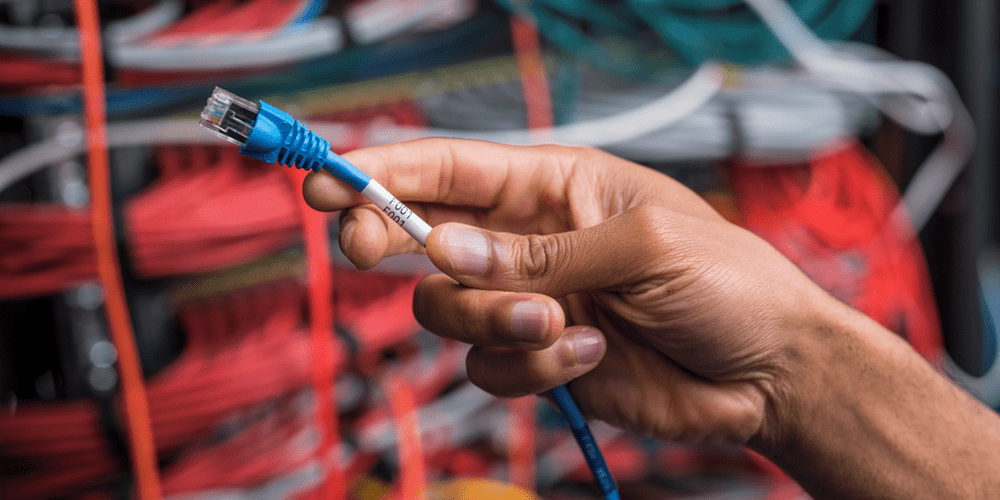
Cable wraps like the TZe-SL251for cable identification
-
Cable flags like the TZe-FX211where information needs to be read without rotating the cable
-
Heat-shrink or specialist cable media like the HSe-211E where required
-
Strong adhesive tapes like the TZe-S211 for textured or demanding surfaces
-
Wider tapes like the TZe-S261for switchboards, panels, safety signage and asset callouts
With the durability and workflow requirements understood, the final question for many teams is whether upgrading the labelling process is worth the investment.
How to assess ROI before upgrading
The return on a faster labelling system usually comes from saved labour time, fewer errors and less rework.
To assess ROI, compare your current process with the improved workflow:
-
How many labels are printed per job?
-
How long does it take to create, print, cut, peel and apply each label?
-
How many labels are reprinted due to errors?
-
How often do technicians return to the office or van to fix label data?
-
How much does rework cost near project handover?
-
How much time could be saved by templates, batch printing and data import?
For many teams, the device cost is only one part of the calculation. Include label media, batteries, accessories, software setup, training and spare units for larger teams. A practical ROI measure is the time saved across repeat jobs, not just the upfront purchase price.
A faster way to keep work moving with Brother
For large-scale electrical, datacom and industrial maintenance jobs, labelling speed isn't just about getting labels out of the printer faster. It’s about reducing the small delays that happen hundreds or thousands of times across a project.
An efficient labelling system with a device like the Brother PT-E920BT that features 20mm/sec print speed, continuous-strip batch printing, easy-peel labels and a built-in automatic cutter with half-cut precision helps technicians move through repetitive jobs with less stopping, sorting and rework.
Pair that with the Brother Pro Label Tool app, durable Brother TZe Pro tapes and a clear naming system, and your team has a practical way to label faster while keeping work clear, consistent and easier to maintain.
Got any questions? Feel free to speak to a Brother labelling specialist, our team is always happy to help you find the right labelling setup for the way your team works, no guesswork required.
Comments

A Practical Guide to Electrical and Data Labelling Templates
Explore how Bluetooth workflows, compliant templates and advanced printing tech from Brother simplify durable electrical and warning labels for electricians.

The Importance of Supply Chain Management (SCM) | Brother
Discover the importance of supply chain management and how technology can help optimise your business processes for future success in this guide.

Food safety by the label
Make sure your food is properly labelled for safety - learn about the range of technologies and solutions that make it possible with Brother.

Resource Library
Explore our range of eBooks, Whitepapers & Case studies
Be the first to receive ongoing exclusive offers and the latest news on our products and services directly in your inbox!