Sign In / Sign Up To Add Wishlist
Wishlist is available for members only. Please sign in or sign up to add your wishlist.
Embroidery ideas for your PR embroidery machine
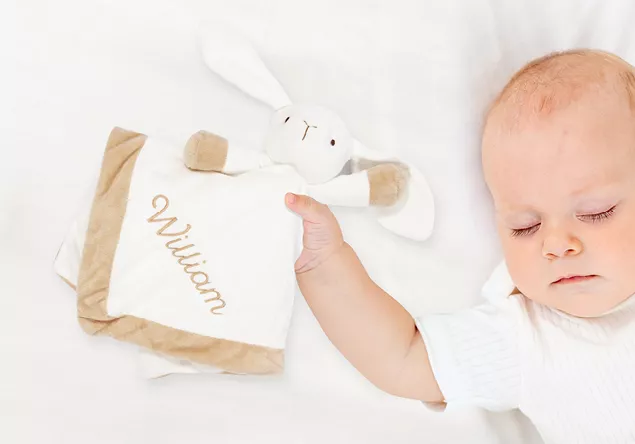
Working with Sweet Gifts for Babies
Baby gifts need to stay soft , especially for items that sit close to the skin. Understanding your end customer’s needs is an important part of building a successful business, and choosing the right stabiliser is a key step in creating a quality product. The stabiliser you select should support the embroidery while still allowing the fabric to drape naturally.
For lightweight plush fabrics, a wash-away stabiliser provides temporary support and then rinses out completely. A fusible mesh cut-away is useful when you need extra stability without adding bulk, while a thin water-soluble topping helps prevent stitches from sinking into the pile.
Everything you'll want to know
.webp?iar=0&rev=a698693bd1c94187846eb25bf4d71ccc)
Position Guide
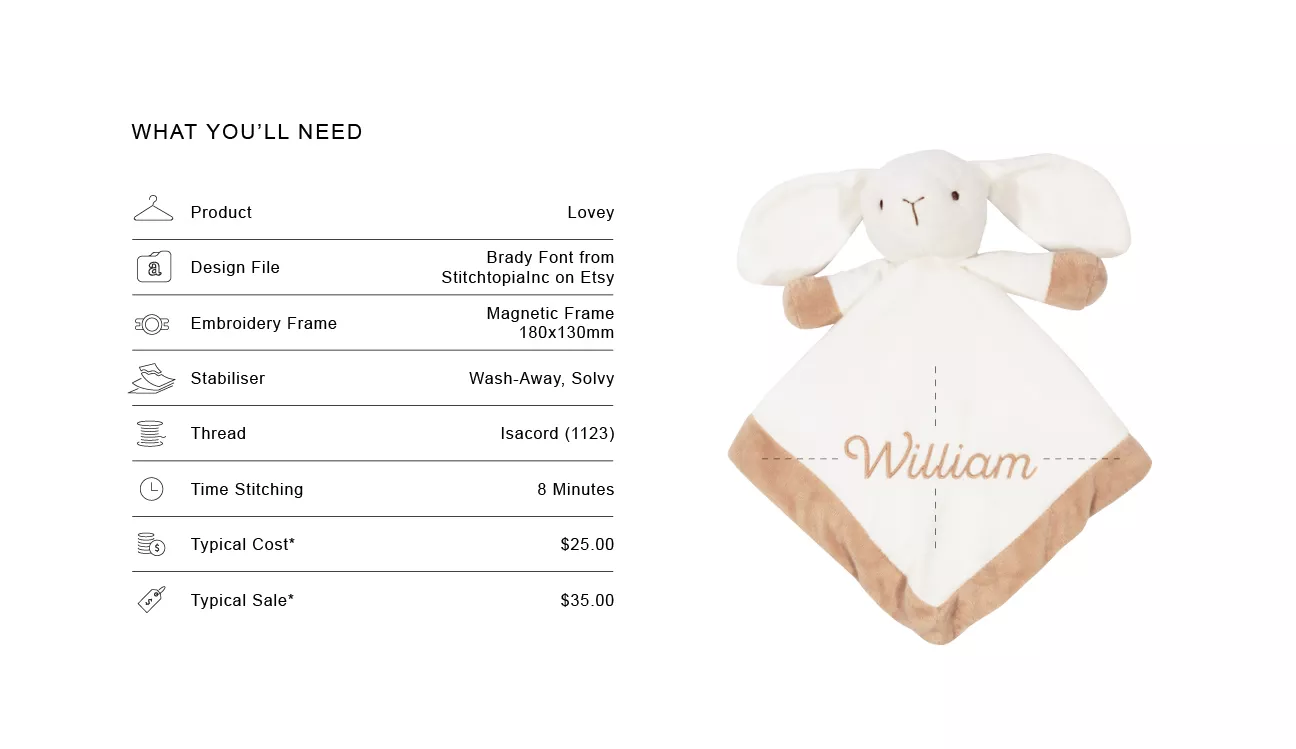
Fold the Lovey and place a pin on the diagonal or use a 45 degree set square to position the design diagonally on the front corner

Size Guide
This design is 30mm x 121mm. If your design has less letters and will fit, consider using the Magnetic Frame 100mm x 100mm

Design Variation
If matching to a blanket use the same font to build a set. For a long name you could also enlarge the initial and write the name in smaller text beneath.

Market insight
Help avoid disappointment. Baby items are often given by well meaning friends and family. Ensure spellings are written by the customer and prompt them, are they are sure their spelling is correct.

Tip
Using Wash-Away stabiliser will keep your item soft for little ones when sleeping.

Shortcut
In a hurry? Work with built-in fonts as you can group and shrink any buit-in font to create personalised add-on products in seconds.

Troubleshooting
When embroidering on products with a lining ensure you have both layers hooped smoothly. Turn your hoop over and check the back is sitting flat.

Important Note
**Figures are indicative figures only. Costs refer only to consumables required. Complete your own research before determining your own costs and setting your prices.