


Sign In / Sign Up To Add Wishlist
Wishlist is available for members only. Please sign in or sign up to add your wishlist.

Choose your innovative printer




DCP-J1800DW: Print & Cut Multi-Function Inkjet Printer
If A5 printing is part of your everyday workflow, this printer makes it easy. Print on standard A4 paper and let the DCP-J1800DW automatically cut it down to clean, consistent A5 output - no need to buy dedicated A5 paper. And when you’re not printing A5, it works as a complete and compact solution for everyday print, copy and scan tasks.
This printer is made for:

Price lists, mini signage, product cards
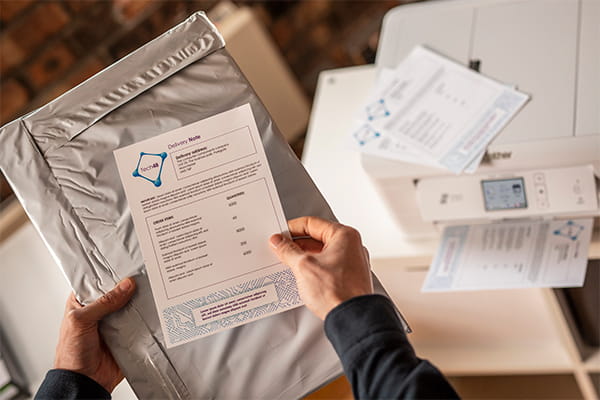
Thank-you cards, inserts, care instructions

Specials, table talkers, mini menus

Handouts, laminated classroom sets, notices

MFC-J6959DW: A3 Business Inkjet Multi-Function Roll Printer
The MFC-J6959DW is a powerful A3 business printer designed for teams that need flexibility day to day - with the added freedom to print long, borderless banners on demand. Handle everyday A3 print, scan and copy work with speed and consistency, then switch to roll paper to create A3-width banners cut automatically to the length you need (up to 2.7m). It’s a smarter way to keep routine work moving while bringing previously outsourced signage in-house.
This printer is made for:

Window promos, aisle callouts, seasonal banners

Open day signage, directional strips, listing promos

Booth banners, queue markers, sponsor strips

Classroom and staffroom banners, event and assembly signage, directional strips for campuses

SP-1 Sublimation Printer: Easy sublimation at home or work
Bring your ideas to life with vibrant sublimation prints you can transfer onto everyday items - from t-shirts and tote bags to mugs, tumblers and home décor. The Brother SP-1 makes it simple: create or customise a design (with Artspira or your computer), print it onto sublimation paper, then use a heat press to permanently bond it to compatible materials for bright, long-lasting results.
This printer is made for:

Custom T-shirts, tote bags, stickers-style prints (transfer-ready), seasonal projects and DIY gifts

Small-batch merch, personalised orders, market stock, branded apparel and add-ons

Bridal party gifts, birthdays, team events, keepsakes and party favours

Coasters, cushions, wall pieces, kitchen accessories and personalised home touches
Frequently Asked Questions
-
What makes the DCP-J1800DW, MFC-J6959DW and SP-1 different from standard printers?They’re designed to handle specialist-style tasks in-house - like automatic A5 cut-down from A4, roll banner printing up to 2.7m with auto-cut and sublimation printing for custom merchandise - without needing extra specialist equipment (note: you will need a heat press when using the SP-1) or outsourcing.
-
Where can I buy these printers?Each product section links to a product detail page with a Where to Buy tool, so you can find available resellers or authorised stockists.You can also buy them direct from the Brother Online Store.
-
Do I need A5 paper to use the DCP-J1800DW?No, you can print on A4 and the printer cuts it down to A5 automatically. You save time by removing repetitive setup and cutting steps, and you get consistent A5 results that look clean and professional every time.
-
How do I use the Print & Cut function on the DCP-J1800DW?Load A4 paper, then select the Cut Print option in your print settings. The printer will print two A5 pages side by side on a single A4 sheet and automatically cut it in half, giving you clean, consistent A5 output.
-
What can the MFC-J6959DW Roll Printer print?It prints A3, standard A4 and A4-width banners on roll paper and automatically cuts them to the length you need (up to 2.7 metres).
-
What can the Brother SP-1 Sublimation Printer print on?The SP-1 prints images/designs onto specialised sublimation paper which then can be transferred to items with a heat press. For best results use white or light coloured items that are 100% polyester, such as shirts, hats, and jackets. Additionally, it can be used on white or light-coloured items that have a polymer coating, including mugs and coasters.
-
How do I create designs for sublimation?You can create or customise designs using Artspira or your computer, then print onto sublimation paper and press onto your product.